
A Zigbee gateway is the heart of a reliable smart home. It connects Zigbee switches and sensors to your router and runs local scenes, even when the internet is slow. This guide shows how to set one up and build a strong network.
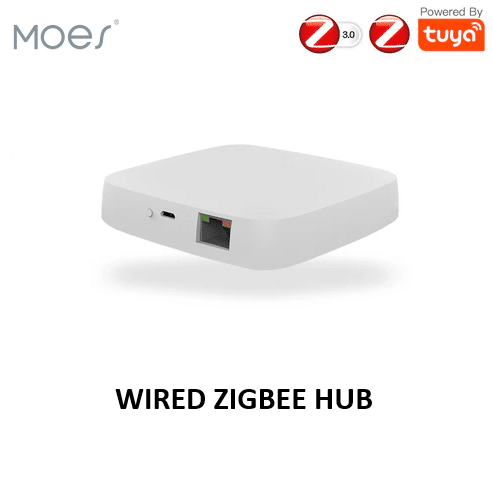
Choosing Your Zigbee Gateway
- MOES and Tuya Zigbee hubs for the Tuya Smart app.
- SONOFF Zigbee Bridge Ultra or a Zigbee dongle for eWeLink and advanced setups.
- Control panels with a built in gateway for a combined solution.
Browse gateways in our smart security category and control panels.
Zigbee Gateway Setup in 7 Easy Steps
- Place the gateway centrally, away from metal cabinets and not right next to the router.
- Connect it to power and to the router, by cable or WiFi depending on the model.
- Add the gateway in the Tuya Smart or eWeLink app.
- Pair mains powered devices first, starting near the gateway.
- Pair battery sensors after the mesh is built.
- Name each device by room and function.
- Create a first scene to test local control.
Building a Strong Mesh
Mains powered Zigbee devices, such as switches and plugs, act as repeaters. Install them on every floor to extend coverage. Battery sensors do not repeat, so they rely on nearby mains devices.
Troubleshooting
- Device will not pair: bring it closer to the gateway and reset it.
- Devices go offline: add a repeater between them and the gateway.
- Slow response: check for WiFi interference on the same channel.
- Gateway offline after power cuts: put it on a UPS with the router.
Zigbee Gateway Best Practices
- Use one gateway per ecosystem.
- Keep firmware updated.
- Avoid moving the gateway once the mesh is built.
- Keep a list of devices and rooms.
Compare protocols in Zigbee vs WiFi and see this Zigbee overview.
Wired or WiFi Gateway?
Wired gateways connect to the router with an Ethernet cable and give the most stable connection. WiFi or USB powered gateways are easier to place but depend on WiFi quality. If your router is far from the centre of the home, a WiFi gateway can sit in a better central position.
Naming and Organising Devices
- Use room plus function, for example Kitchen Leak or Living Room Light.
- Group devices by room in the app.
- Keep names short for voice assistants.
- Record the location of each battery sensor.
Expanding Your Zigbee Network
Add devices gradually and check that each one responds quickly before adding the next. When you add a new floor or an outdoor area, start with a mains powered device near the edge of the current coverage to extend the mesh, then add sensors beyond it.
Zigbee Gateway and Power Cuts
After a power cut, Zigbee devices reconnect to the gateway automatically. Keeping the gateway and router on a UPS means the mesh stays up during short cuts and scenes resume faster when power returns. Battery sensors continue to report as soon as the gateway is online. Read more in smart home for power cuts.
If you are moving from WiFi devices to Zigbee, keep the WiFi devices in the same app and add Zigbee devices gradually. Scenes can include both types, so the transition is smooth and nothing you already own is wasted.
Zigbee Gateway FAQ
How many devices can one gateway handle?
Many dozens, depending on the model. Check the product page.
Can I use two gateways?
Yes, but devices on different gateways cannot share local scenes.
Does the gateway need internet?
Local scenes can run without it. Remote control needs internet.
Can I mix brands on one gateway?
Tuya gateways support many Tuya Zigbee devices. Check compatibility.
Build a reliable network with a Zigbee gateway from WeVolt.
Need help choosing? WeVolt is based in Beirut, delivers across Lebanon and answers product and wiring questions by phone and WhatsApp. Browse our full shop or contact our team for a free recommendation.