A successful smart home Lebanon project means planning for local realities: power cuts, generator switching, solar systems, rooftop water tanks, older wiring and variable internet. This complete guide explains how smart homes work, which devices matter most in Lebanese homes, how to choose between brands and protocols, and how to plan a project that stays reliable for years. Whether you live in an apartment in Beirut or a villa in the mountains, you will find a clear path from the first smart switch to a fully automated home.
What Is a Smart Home?
A smart home connects everyday devices such as lights, shutters, water heaters, sensors, locks and cameras to an app on your phone. Each device can be controlled remotely, scheduled, controlled by voice, or triggered automatically by other devices. For example, a door sensor can switch on the entrance light at night, a tank sensor can start the pump, and a single tap can switch everything off when you leave.
Most devices sold in Lebanon run on one of two main apps: Tuya Smart or Smart Life for brands such as MOES, Tongou, Skydance and EPT, and eWeLink for SONOFF. Both work with Amazon Alexa and Google Assistant, and newer Matter devices also work with Apple Home.
Why a Smart Home Lebanon Setup Makes Sense
- Energy control: schedule water heaters, pumps and air conditioners to run on EDL or solar hours instead of expensive generator time.
- Water peace of mind: know your tank level and avoid running out of water.
- Security: receive alerts for doors, motion, smoke, gas and water leaks, even when abroad.
- Comfort: warm floors in the morning, shutters that close at sunset and lights that follow your routine.
- Remote control: families living abroad can check and control their home in Lebanon from anywhere.
Planning Your Smart Home Lebanon Project
Step 1: List What You Want to Control
Walk through your home room by room and note the lights, shutters, appliances and areas you want to control or monitor. Start with what you use every day.
Step 2: Choose Your Main App
Pick one main ecosystem for most devices. Tuya offers the widest brand choice, while eWeLink suits SONOFF users. Read Tuya vs eWeLink to decide.
Step 3: Choose WiFi, Zigbee or Both
WiFi devices connect directly to the router and suit small homes. Zigbee devices need a gateway but are more reliable in larger homes, use less battery and keep local scenes running. Our guide to Zigbee vs WiFi explains the details.
Step 4: Check Your Wiring
Many older buildings have no neutral wire in switch boxes. Your electrician should check before you order switches, and you can choose no-neutral models where needed.
Step 5: Plan for Power Cuts
Put the router and gateway on a UPS, set the power on state of switches and choose battery or solar devices where power is not stable. See our dedicated page on the smart home for power cuts.
Step 6: Install Room by Room
Start with one or two rooms, live with the system for a week, then expand. It is easier to adjust early than to change a whole home at once.
Essential Devices for a Smart Home Lebanon Setup
Smart Switches and Modules
Smart wall switches replace your current switches with touch or push button models that work by app and voice. Smart modules hide behind existing switches if you want to keep your current design.
Curtain and Rolling Shutter Control
Curtain and shutter switches automate the rolling shutters found in most Lebanese homes.
Lighting and Dimming
Smart bulbs and LED strips add colour and scenes, while dimmers and LED drivers such as Skydance give professional control of LED projects.
Climate
Smart thermostats control underfloor heating, boilers and radiators, and temperature sensors trigger fans or heaters.
Security
Sensors, alarms and smart locks, cameras and video intercoms protect the home and the entrance.
Water and Energy
Tank level sensors monitor water, and smart DIN rail devices control and measure circuits in the panel.
Control Panels
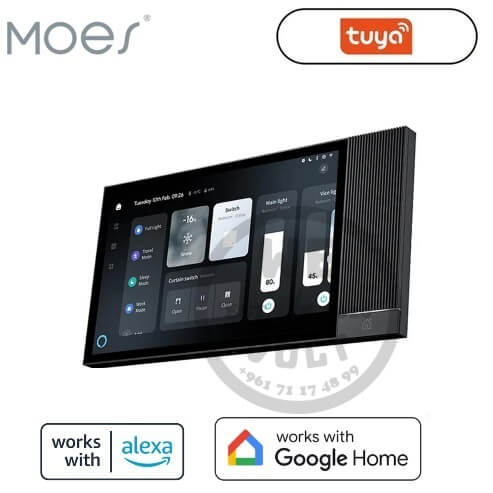
Touch screen panels give every family member simple control of the whole home from the wall.
Choosing Brands for Your Smart Home
- MOES: design switches, thermostats, curtains, sensors, hubs and panels on Tuya.
- SONOFF: compact modules, NSPanel, TH controllers and Zigbee sensors on eWeLink.
- Tuya: the platform that connects many brands in one app.
- Tongou: smart breakers, relays and energy meters for the panel.
- Skydance: LED drivers, dimmers and remotes for lighting projects.
- Ryan: video intercoms for villas and buildings.
- EPT: ultrasonic tank level sensors.
Smart Home Lebanon Ideas by Room
Entrance
A smart light, a door sensor, a smart lock and, in buildings, a connected intercom.
Living Room
Multi gang touch switches, a rolling shutter switch, a TV backlight strip and a control panel.
Kitchen
A gas detector, a smoke alarm, a water leak sensor and smart plugs for small appliances.
Bedrooms
Scheduled shutters, bedside control and soft night lighting linked to motion sensors.
Bathroom
An underfloor heating thermostat and a humidity sensor that controls the extractor fan.
Technical Room and Roof
A smart breaker or relay for the water heater, a tank level sensor and pump automation.
Automations That Save Time and Money
- Water heater on only during EDL or solar hours.
- All lights and non essential circuits off when the last person leaves.
- Entrance light on when the door opens after sunset.
- Pump starts when the rooftop tank drops below a set level and stops when full.
- Shutters close automatically at sunset in winter to keep heat in.
- Alerts to every family member if smoke, gas or water is detected.
For more energy ideas, read how smart homes reduce your electricity bill and smart homes and solar systems.
Voice Control and Apps
Link your Tuya or eWeLink account to Alexa or Google Home to control devices by voice. Our guides cover MOES with Alexa and MOES and Tongou with Google Nest. Matter devices add Apple Home support, explained in Matter smart devices.
Installation Tips
- Use a qualified electrician for switches, modules and panel devices.
- Test every device before closing wall plates.
- Name devices clearly by room and function.
- Keep QR codes and manuals in one place.
- Share the app with family members rather than sharing one login.
Common Mistakes to Avoid
- Buying devices from random ecosystems without a plan.
- Ignoring WiFi coverage in large homes.
- Forgetting a UPS for the router and gateway.
- Choosing neutral switches where no neutral wire exists.
- Automating everything at once instead of room by room.
Read more in home automation tips and mistakes to avoid.
How WeVolt Helps
WeVolt is based in Beirut and delivers across Lebanon. Our team helps you choose compatible devices, check wiring, pick the right gateway and plan scenes, and we support you by phone and WhatsApp after installation. Browse the full shop or start with our smart home starter kit guide. For general background, see this home automation overview.
Smart Home Lebanon: Apartments vs Villas
Apartments
In apartments, WiFi devices are often enough for a first project: smart switches in the main rooms, a rolling shutter switch, a smart plug for the water heater and an indoor camera. As the system grows, a Zigbee gateway adds sensors and faster local scenes. Shared building features, such as the entrance intercom and rooftop tanks, can be connected too.
Villas
Villas benefit from Zigbee throughout, with mains powered switches acting as repeaters on every floor. Outdoor lighting, gates, wells, pumps and several tanks make automation even more valuable. Plan cable routes for outdoor cameras and intercom stations early, and consider a touch screen panel on each floor.
Budgeting a Smart Home Lebanon Project
The best way to control cost is to phase the project. Phase one covers daily essentials: lighting in the main rooms, the water heater and one or two sensors. Phase two adds shutters, security and tank monitoring. Phase three adds comfort and design: thermostats, mood lighting and control panels. Each phase works on its own, so you only pay for what you use.
- Prioritise devices that save energy, such as water heater and pump control.
- Choose one ecosystem to avoid buying duplicate hubs.
- Reuse existing wall designs with hidden modules where budget is tight.
- Invest in a good router and UPS before adding many devices.
Security and Privacy
A connected home should also be a secure one. Use strong, unique passwords for your app and WiFi, enable any extra security options offered by the app, and keep firmware updated. Share access through the app’s home sharing feature instead of giving out one login, and remove devices from your account before selling or giving them away. Position cameras to cover your property without filming neighbours.
Maintenance and Long Term Reliability
- Replace sensor batteries when the app warns of low power.
- Check that devices are online after long power cuts.
- Review schedules at the start of each season.
- Update the router firmware and keep the gateway in a ventilated place.
- Keep a simple list of devices, rooms and QR codes.
A 30 Day Starter Plan
- Week 1: choose your app and protocol, check wiring and install a UPS for the router.
- Week 2: install smart switches and a shutter switch in the living room, and create your first scene.
- Week 3: add a smart relay or plug for the water heater and set a schedule for EDL or solar hours.
- Week 4: add door and leak sensors, link Alexa or Google, and review what to automate next.
The Future of Smart Home Lebanon Projects
Matter is making devices from different brands work together across Apple Home, Google Home and Alexa. Solar systems and batteries are becoming common, and smart energy management helps homeowners get the most from them. Starting today with compatible, well chosen devices means your smart home Lebanon setup will keep growing with these changes instead of being replaced.
Smart Home Glossary
- Gateway or hub: a device that connects Zigbee devices to your router.
- Zigbee: a low power mesh protocol for sensors and switches.
- Neutral wire: the return conductor needed by some smart switches.
- Scene: a group of actions triggered by one tap or an event.
- Matter: a standard that lets devices work across several platforms.
- Power on state: how a device behaves when power returns after a cut.
Smart Home Lebanon FAQ
Is a smart home worth it in Lebanon?
Yes. Energy scheduling, water monitoring and security alerts bring real daily value, especially with power cuts and water deliveries.
Do smart devices work during power cuts?
They work again as soon as power returns. A UPS on the router and gateway keeps scenes and remote control available.
Do I need a hub?
Only for Zigbee devices. WiFi devices connect directly to your router.
Can I control my home from abroad?
Yes. As long as the router is online, you can control and monitor devices from anywhere.
Which brand should I choose?
MOES and Tuya for the widest range in one app, SONOFF for compact modules and DIY projects. Our team can recommend the best mix.
Start your smart home Lebanon project today with WeVolt and build a home that works in real local conditions.
Need help choosing? WeVolt is based in Beirut, delivers across Lebanon and answers product and wiring questions by phone and WhatsApp. Browse our full shop or contact our team for a free recommendation.